
Text Free: Calling & Texting
Pinger, IncSocial
4.530.60K Reviews
- Version
- 13.28.1
- Installs
- 10.00M
- Age Rating
- Everyone
Screenshots

Our Review of Text Free: Calling & Texting
 Analysis by Appyee
I found Text Free: Calling & Texting most useful as a practical second line rather than as a complete replacement for a traditional mobile plan. It gives me a separate number for calls and messages, works over Wi-Fi, and keeps casual communication away from my main phone number. That simple separation is the app’s real appeal. If you need a flexible way to text, make calls, or maintain a spare line, it is easy to understand and surprisingly capable. If you expect flawless service in every situation or need the same reliability as a carrier connection, I would set more modest expectations.
Developed by Pinger, Inc, this free social app has become a familiar option for people who want calling and texting without immediately adding another carrier line. Its average rating is 4.5 from around 128 thousand ratings, with more than 10 million installs, so it clearly serves a broad audience. I can also see why: the basic idea is direct, the interface is approachable, and the separate-number concept solves several everyday problems without requiring another physical SIM.
How Text Free works in everyday use
I find the everyday value of Text Free comes down to having a clear job for its second number: it can separate a temporary project or casual contact from the line I use with close friends and family. In this section, I’d focus on how that boundary works in practice and the small habits that keep a second inbox manageable. The next section looks at where that focused approach is most useful.
A separate number changes the way I manage communication
The first thing I noticed is that the app makes more sense when treated as a communication layer, not merely as a cheaper phone dialer. I can use its number for online contacts, short-term projects, community groups, or conversations where I would rather not hand out my personal number. That boundary is useful because it lets me keep my primary line reserved for people and services I already trust.
A realistic example is a person selling furniture locally. Instead of publishing a personal number in a listing, they can use the app’s number for interested buyers, answer questions, and stop using that channel once the sale is complete. The same approach works for a temporary volunteer role, a club activity, or coordinating a move. I would still use sensible judgment about who I contact, but the extra line makes those situations easier to contain.
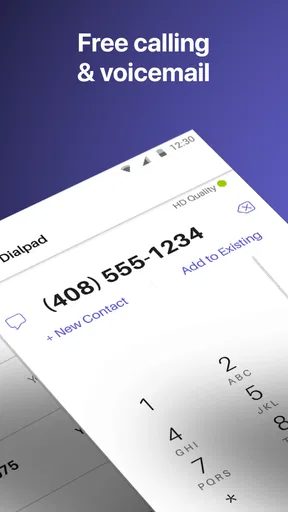
The app’s core offer is calling and texting through an internet connection. In my experience, that makes a strong Wi-Fi connection more important than the phone’s cellular signal for the app itself. At home, in a hotel, or in a workplace with dependable Wi-Fi, it can be a convenient way to stay in touch. On an unstable network, however, the experience becomes less predictable, especially during calls.
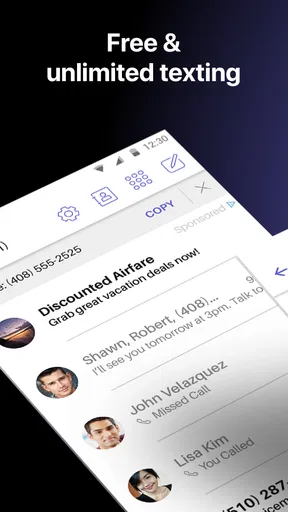
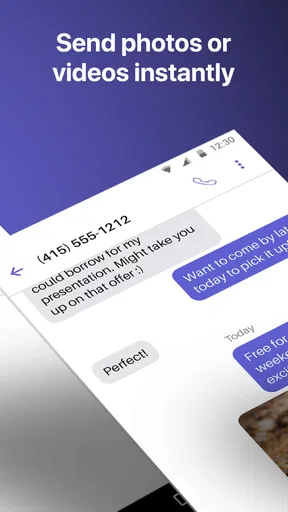
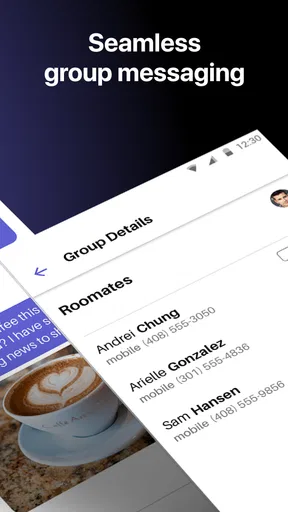
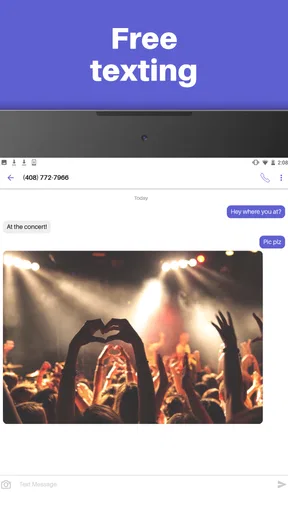
Text conversations are where the service feels most straightforward. I can use it for ordinary one-to-one messages and group conversations, which is helpful when a family activity, school group, or work project needs a separate thread. The group option is more useful than it may first appear: keeping a temporary group away from my personal messaging account makes it easier to leave that conversation behind later.
Where the free model helps, and where it asks for patience
The free entry point is a genuine strength. Someone curious about a second number can try the basic experience without committing to a monthly carrier plan. That matters for students, travelers, people managing a side project, and anyone who only needs occasional communication. The app is also rated for Everyone, which reflects its broad, general-purpose positioning rather than a service aimed at a narrow professional audience.
There is a trade-off, though. In-app purchases range from $1.99 to $99.99 per item, so “free” should be understood as an accessible starting point rather than a promise that every possible use will remain cost-free. I would begin with the basic functions and pay attention to which actions or allowances matter to me before spending anything. That prevents a spare line from quietly becoming an expense I did not plan for.
My practical advice is to decide what job the number must perform before setting it up. If I only need occasional texts, the free experience may be enough. If I expect regular calls, sustained group activity, or a line I will depend on every day, I would examine the app’s current purchase options carefully and compare the total cost with a low-cost carrier plan. The right choice depends less on the headline price than on how heavily I use the number.
Calling quality depends on the environment
Internet calling is convenient, but it is not identical to using a carrier’s voice network. When the connection is strong, calls can feel perfectly practical. When the network is congested or weak, I may notice delays, interruptions, or a less natural conversation. That is not a reason to dismiss the app; it is a reason to use it for the situations it handles best.
I would be comfortable using it for arranging a pickup, checking in with a friend, or handling a routine conversation from a reliable Wi-Fi location. I would be more cautious about making it my only option for an urgent call, an important interview, or communication where a dropped connection would create serious trouble. Keeping another dependable calling method available is a sensible precaution.
This distinction also affects travel. In a place with reliable Wi-Fi, the app can be more convenient than changing a SIM or adding a carrier package for short-term communication. In a location where internet access is uncertain, the advantage becomes much smaller. I would prepare before leaving home rather than assume that an internet-based line will solve every connectivity problem after arrival.
Small habits make the second line more useful
One of the best workflows is to assign the number a clear purpose from the beginning. I might reserve it for marketplace contacts, a hobby group, or a temporary project, then avoid mixing those conversations with personal messages. That simple rule keeps the inbox easier to scan and reduces the chance that I will accidentally use the wrong number when contacting someone.
I also recommend checking the recipient before sending a message. A second line is valuable precisely because it creates separation, but that separation can cause confusion if I forget which number I am using. For work-related communication, I would add a brief signature or identify myself in the first message. That is a small step, yet it prevents the “Who is this?” problem that can make an unfamiliar number look suspicious.
For group texting, I would establish the purpose of the group and its expected lifespan. A temporary group for a trip or event is a good fit. A long-running family conversation may be better kept in the messaging system everyone already uses, especially if participants rely on features that this app does not replace. Text Free is strongest when its separate identity solves a specific organizational problem.
What the app does better than ordinary alternatives
Compared with using my regular carrier number, Text Free gives me a useful layer of distance. I do not need to expose my personal line for every casual contact, and I can keep a separate conversation history for a particular activity. That is a meaningful benefit for people who want cleaner boundaries without carrying a second phone.
Compared with a standard messaging app tied to an existing account, it is more focused on providing a phone-style line. That makes it easier to explain its purpose: I am not simply joining another social network; I am creating a communication number for calls and texts. For someone who wants a recognizable phone workflow rather than a username-based chat service, that distinction matters.
Compared with a low-cost carrier plan, the app is more flexible to try and does not require the same kind of mobile-line commitment. The carrier option is usually the better fit when dependable connectivity, emergency access, or constant availability matters more than flexibility. I see Text Free as the better tool for a secondary role, while a carrier line remains the safer foundation for essential communication.
The meaningful limitations I would consider first
The biggest weakness is dependence on internet access. A separate number is only helpful when I can connect well enough to use it. That can be perfectly manageable in a home or office, but it becomes a concern during travel, outages, crowded public networks, or places with poor coverage. Anyone choosing the app as their only communication method should think carefully about that dependency.
The second limitation is expectation management. The phrase “unlimited” can sound like every kind of communication is unrestricted, but real usage may still interact with the app’s purchase structure and service conditions. I would not assume that a heavy user will have the same experience as someone who sends occasional messages. Starting lightly and observing my own needs is the more sensible approach.
There is also a social limitation: not every recipient will immediately recognize the number. A new or unfamiliar number can be ignored, mistaken for spam, or treated cautiously. When I contact someone for the first time, I would identify myself clearly and explain why I am using a separate line. The app can create privacy distance, but it cannot automatically create trust.
Finally, a second inbox creates another place to monitor. If I already struggle to keep up with messages, adding another channel may make communication more scattered rather than simpler. I would turn on the notifications I actually need, establish a routine for checking the app, and avoid using it for important conversations unless I am prepared to watch it consistently.
Who should use it, and who should choose something else?
I think Text Free is a strong match for people who need a spare number without carrying another device. It suits students communicating with classmates, sellers handling local listings, organizers managing a temporary group, and anyone who wants to separate personal contacts from casual or short-term communication. It is also appealing to people who mainly connect from dependable Wi-Fi and prefer trying a free service before considering a paid line.
It can be especially useful for a small personal project. For example, I could use the number for a neighborhood repair service, a creative collaboration, or a short-term event, keeping inquiries away from my private line. The advantage is not just cost; it is the ability to give that activity its own communication identity. When the project ends, I can stop treating that number as part of my permanent personal profile.
I would recommend looking elsewhere if the line must work reliably in emergencies, during frequent travel without Wi-Fi, or for constant business availability. A traditional carrier plan is a better foundation for those needs. I would also hesitate if I need advanced enterprise tools, strict administrative control, or a communication platform built around video, file collaboration, and large communities. This app is deliberately centered on calls and texts, and that focus is both its strength and its boundary.
Device compatibility is another practical point. The current version is 13.25 and requires at least OS 9, so I would check the phone’s software before planning around it. That requirement is not especially demanding for many users, but an older device can still create installation or performance problems. I prefer confirming compatibility before moving important contacts or workflows into a new communication app.
My final judgment after using the service
Text Free is best understood as a flexible second line, not a universal substitute for a mobile carrier. Its combination of Wi-Fi calling, texting, group conversations, and a separate number gives it a clear purpose. I appreciate that I can use it for practical boundaries: temporary contacts, side projects, casual groups, and situations where sharing my main number would be unnecessary.
The experience is less convincing when I demand constant reliability, seamless recognition by every recipient, or a completely predictable cost for intensive use. Internet dependence and the in-app purchase range mean I should approach it with a specific plan rather than vague hopes of replacing every phone service I already have.
For the right person, that is not a serious drawback. If I need a simple extra line and usually have dependable Wi-Fi, I would gladly recommend giving it a try. Pinger, Inc has built an approachable social communication app with a useful everyday role. I would keep my carrier line for essential calls, use Text Free for separation and flexibility, and judge its value by whether that division makes my communication easier rather than merely adding another inbox.
Privacy and Permissions
See what permissions an app requests and how it handles your data.
- Device & app history
- retrieve running apps
- Identity
- find accounts on the device, add or remove accounts
- Contacts
- find accounts on the device, read your contacts, modify your contacts
- Location
- approximate location (network-based), precise location (GPS and network-based)
- Phone
- read phone status and identity
- Photos/Media/Files
- read the contents of your USB storage, modify or delete the contents of your USB storage
- Storage
- read the contents of your USB storage, modify or delete the contents of your USB storage
- Microphone
- record audio
- Wi-Fi connection information
- view Wi-Fi connections
- Device ID & call information
- read phone status and identity
- Other
- view network connections, create accounts and set passwords, allow Wi-Fi Multicast reception, disable your screen lock, full network access, change your audio settings, read sync settings, reorder running apps, control vibration, prevent device from sleeping, toggle sync on and off, Google Play license check, read Google service configuration
Verdict
Strengths of Text Free: Calling & Texting
- Provides a separate phone number for calls and texts.
- Works over Wi-Fi or mobile data without using carrier minutes.
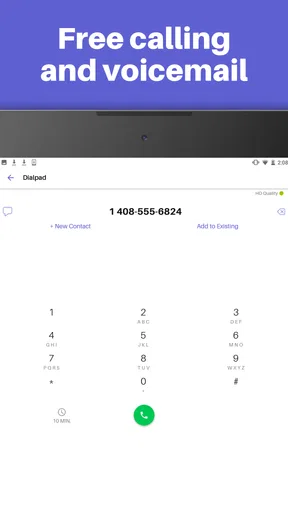
- Includes voicemail and calling features for basic communication.
- Useful for keeping personal and secondary contacts separate.
- Offers a low-cost option for users who mainly text online.
Limitations of Text Free: Calling & Texting
- A reliable internet connection is required for most features.
- Free numbers may expire if they are not used regularly.
- Advertisements can appear throughout the free experience.
- International calling and texting availability may be limited.
- Some features and credits require in-app purchases.
Other Releases by Pinger, Inc
View All
Text Free: Second Phone Number
Social4.5

Sideline: 2nd Phone Line App
Communication3.8

Index: Business Phone Number
Business3.8
Similar Picks in This Category
View All
Meta Platforms, Inc.4.6

Instagram4.0

Likee-Live, Chat & Party Games
Likeme Pte. Ltd.4.4

Facebook Lite
Meta Platforms, Inc.4.5

TikTok - Videos, Shop & LIVE
TikTok Pte. Ltd.4.0

Moj: Free Short Drama & Reels
ShareChat4.1
Frequently Asked Questions
What is Text Free: Calling & Texting, and how does it work?
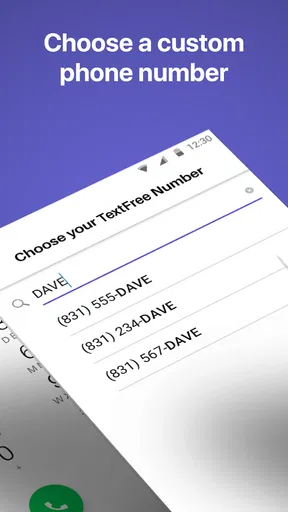
Text Free: Calling & Texting is a communication app that provides users with a phone number for sending text messages and making voice calls over an internet connection. After installing it, you generally choose an available U.S. phone number and can communicate with other numbers without using your mobile carrier’s standard texting or calling plan. The app relies on Wi-Fi or mobile data, so call quality depends on your connection.
Is Text Free: Calling & Texting completely free to use?
The app offers free texting and calling features, but the exact limits can depend on the current plan, location, and account conditions. Free use may include advertising, restrictions on certain calls, or requirements to maintain activity on the assigned number. Some optional features, such as additional minutes, an ad-free experience, or number-related services, may require payment. It is worth checking the in-app pricing before relying on it as your only phone service.
Can I use Text Free to call or text any phone number?
Text Free is mainly designed for communication with supported phone numbers, particularly within the United States and, depending on the feature, Canada. International calling and messaging availability may be limited or charged separately. The recipient does not necessarily need the app installed to receive a regular text or call, although carrier filtering, unsupported destinations, verification systems, and regional restrictions can affect delivery. Always review the app’s current supported-country information.
Does Text Free provide a permanent phone number for verification codes?
Text Free can provide a phone number, but users should not assume that it will work reliably for every account-verification service. Banks, social networks, delivery platforms, and other websites may block virtual or VoIP numbers, and some verification messages may not arrive. Numbers can also be subject to inactivity rules or account policies. For important accounts, it is safer to use a personal mobile number or another officially supported verification method.
What are the main privacy, security, and reliability considerations?
Because Text Free handles calls and messages through an internet-based service, users should review its privacy policy and understand how account details, contacts, messages, and usage information are processed. A stable data connection is necessary, and poor Wi-Fi or mobile coverage may cause delays, dropped calls, or reduced audio quality. Protect the account with a strong password, avoid sharing sensitive information in messages, and remember that the app should not replace emergency calling services.
